Tech
Never Restored a Backup? The One-Hour Test and the People Who Will Ask for It
A first backup is easy to set up and easy to trust wrongly. Here is how to test a restore, and who will ask you for one.
TechCecelia Hartnoll
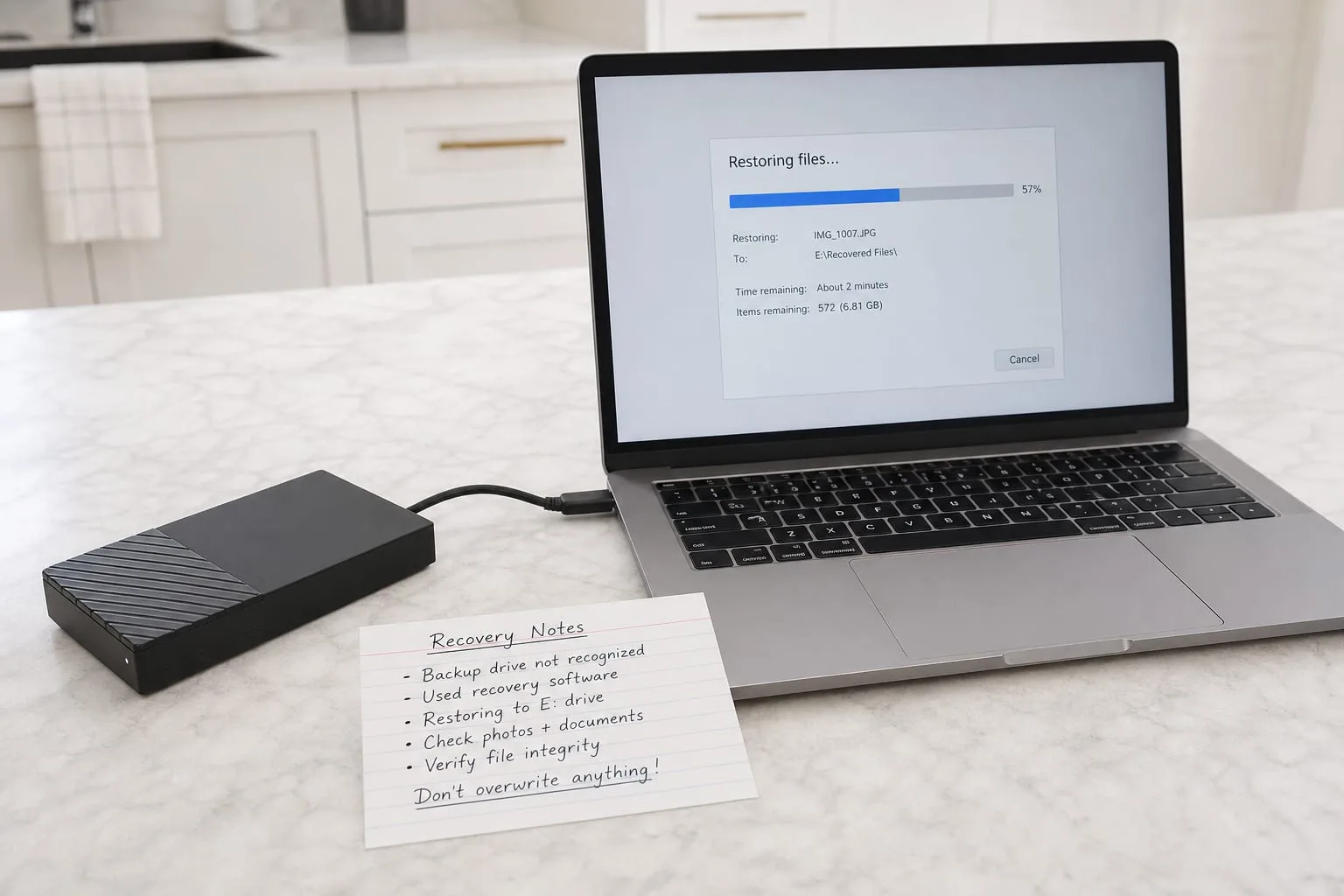
A backup that has never been restored is a promise, not a copy. The distinction matters because the two feel identical for years, right up to the afternoon when they do not, and by then the difference is unrecoverable. Someone setting this up for the first time usually gets the easy half right: an external drive appears, a cloud service is paid for, a green checkmark shows up in a menu bar. What almost nobody does in the first month is pull a file back out and confirm it opens. That single act is the whole subject, and it takes about an hour.
Run the restore before you need it, and run it the awkward way
Pick three files that would genuinely hurt to lose and that are not the same kind of thing: a tax document, a photograph from several years ago, and a working file from whatever software you actually earn money in. Now recover them from the backup onto a device that is not the one they came from, ideally one you have borrowed. Open each. Check the photograph is full resolution rather than a preview thumbnail, and that the working file opens in the application rather than merely appearing as an icon. Note how long the whole thing took. That number is your real recovery time, and it is usually several times longer than you assumed.
The awkward version of the test is the one worth running, because failure rarely arrives politely. Do it with the original machine switched off and set aside, so you cannot accidentally satisfy yourself with a local copy. Do it without the password manager that lives only on that machine, which is how most first-time restores actually fail. If you discover that your backup account credentials were stored inside the thing you are trying to replace, you have found the flaw for the price of an inconvenient hour rather than a lost year. Write down what broke, then fix that one item.
The people whose work sits on the other side of your decision
Backups feel private, which is why first-timers design them for an audience of one. In practice, several other people's work depends on choices you are making now, and each of them will ask you for something specific. A data recovery technician, handed a failed drive, will want to know whether the volume was encrypted and whether you have the recovery key, because without it the lab work is pointless and they will tell you so on the first call. An on-call engineer at a managed service provider, if you ever hire one, will ask how far back the versions go, not how large the archive is. Different questions, same underlying record.
Then there are the people who never touch a computer on your behalf but who consume the output. A tax preparer assembling a return wants source documents for prior years, organized by year rather than by the folder logic that made sense to you in 2019. An insurance adjuster settling a contents claim wants photographs with intact dates and, ideally, receipts stored next to them. An attorney handling an estate wants to know who has lawful access, and a bank fraud department wants statements you can produce within days. None of these people can work from a backup that exists but cannot be searched, and each of them is a decent test of whether yours is organized or merely present.
The useful move for someone doing this for the first time is to borrow their questions in advance. Before you finalize anything, ask yourself whether you could hand a stranger the recovery key, point them at one year of tax records, and produce dated photographs of the contents of two rooms. If any of those three is a no, the gap is in structure rather than storage, and structure is cheap to fix in the first month and tedious to fix in the fifth year.
Three copies, and which parts of the arrangement you can undo later
The convention most professionals work to is three copies of anything that matters, on two different kinds of media, with one of them somewhere else entirely. The National Institute of Standards and Technology is responsible for the federal guidance that most of this practice descends from, and the shape of its advice has been stable for a long time even as the products have churned. Translated into a household: the working copy on your computer, a local copy on a drive that lives in a drawer, and an offsite copy in a paid cloud service. Each covers a failure the others cannot, and the offsite copy is the one that survives a fire or a theft.
Some of these choices are easy to reverse and some are not, and it is worth knowing which is which before you commit. Changing cloud providers is reversible: annoying, slow, but a decision you can unwind over a weekend. Buying a bigger local drive is reversible. What is not reversible is the period during which you had no offsite copy, or the encryption key you never wrote down, or the years of files you never named in a way anyone else could search. Time is the only input here you cannot buy back, which argues for starting rough and improving rather than researching for six months.
What the arrangement should look like in five years
Assume five years of drift. The cloud service will change its pricing tiers and possibly its owner. The external drive will be old enough that its failure would surprise nobody. The phone that produced half your photographs will be gone, and the format some of your working files are in may need an older application to open. Plan for that by keeping anything you truly want to survive in plain, boring formats: PDF for documents, JPEG or TIFF for images, plain text for notes. Proprietary formats are fine for work in progress and a liability for archives.
Plan also for the possibility that you are not the one doing the restoring. Write down, on paper, where the copies live, what the recovery keys are, and which account pays for the cloud service, then put that page wherever you keep the deed and the policy documents. Tell one other person it exists. This is the step that converts a personal habit into something an executor, a spouse, or an accountant can actually use, and it is the difference between a backup that protects your files and one that protects the people who come after them.
Set a recurring reminder twice a year, on dates you will not resent, and repeat the one-hour test. Three files, a borrowed device, no shortcuts. If it works, you have spent an hour confirming something valuable. If it does not, you have found the fault at the only time when finding it is cheap.