Tech
Setting Up a Password Manager for the First Time? The Paperwork That Has to Exist on Paper
A first password manager takes one evening to install and a few weeks to fill, and the part that saves you later is written by hand and kept offline.
TechYolanda Escamilla
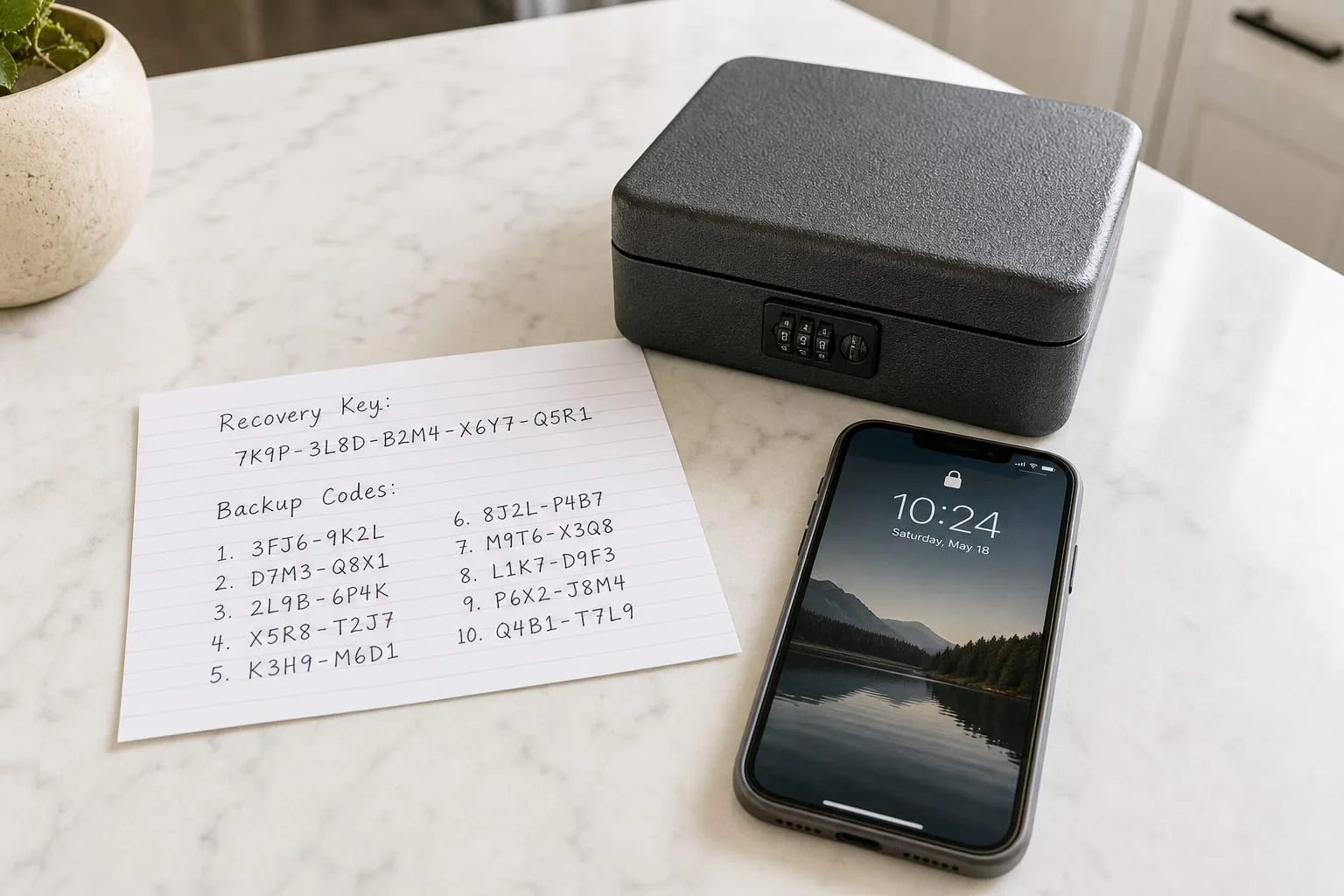
The advice on passwords changed direction some years ago, and most people met the change as a rumor rather than an instruction: stop rotating them on a schedule, stop scattering capital letters and punctuation to satisfy a rule nobody could explain, use length instead, and let software remember the rest. That last part is where the work sits. Installing a password manager takes about twenty minutes. Filling it takes weeks of small moments, and the piece that decides whether the whole arrangement survives a lost phone is written by hand, on paper, in the first hour.
Where the hours actually go
The install is not the project. Downloading a manager, creating an account, and setting a long passphrase you can say out loud is one sitting, and you can do it after dinner. What follows is roughly two to four hours spread across a month, taken in five-minute pieces, because each account gets changed at the moment you next log into it rather than in one grinding session. That pacing matters for a first-timer. A weekend spent resetting eighty passwords produces fatigue, typos, and at least one account you lock yourself out of on a Sunday when nobody answers the phone.
Budget separately for the two or three accounts that will not cooperate. An old brokerage login, a utility that still mails a PIN, a health portal that wants the last four digits of an account number you no longer have. Those are the ones that turn into a phone call during business hours, on hold, from a desk where you can be overheard. Put them on a short list at the start, handle them on a single weekday morning, and the rest of the migration stays in the evenings where it belongs.
The four things that have to be on paper
A password manager is a single point of failure by design, which is fine as long as the failure has a written answer. The first item is the master passphrase, copied out once, legibly, because the version in your head degrades faster than you expect after two weeks of biometric unlock. The second is the recovery kit or secret key that most managers generate at signup and never show you again. The third is the set of backup codes for two-factor authentication on your primary email. The fourth is a plain sentence recording where the other three live.
Paper is not a lapse in judgment here. The threat you are guarding against with a manager is credential reuse across hundreds of websites, and the threat you are guarding against with an envelope in a fireproof box or a safe deposit box is your own memory and your own hardware. The National Institute of Standards and Technology is responsible for the federal guidance on digital identity that pushed the industry away from forced rotation and toward length, and the practical consequence of that shift is exactly this: fewer secrets, longer, stored properly, with a written recovery path.
The order to move accounts in
Start with the email address that receives password resets, because every other account is downstream of it. Give it a long unique passphrase, turn on two-factor authentication with an app rather than text messages if the option exists, print or write the backup codes, and only then move on. Second is the phone carrier account, since a number transferred out from under you defeats any code sent by text. Third is the financial tier, banks, brokerages, the payroll portal, anything that moves money. Everything else, retail, streaming, forums, can be changed opportunistically over the following month.
Work in that sequence and a mistake stays small. Reset a shopping account badly and you are inconvenienced for an evening. Reset your email badly, without codes written down, and you are proving your identity to a support queue by fax, notarized letter, or a photograph of a driver's license, which is a week of waiting and at least one errand taken during working hours. Order is the cheapest protection available to a beginner, and it costs nothing but patience.
The paperwork someone else may need
Most managers now offer emergency access, a named contact who can request the vault and receives it after a waiting period if you do not decline. Setting it up takes ten minutes and settles a problem that otherwise lands on a spouse or an adult child at the worst possible moment, when bills are due and nobody can get into the account that pays them. Choose the person, tell them plainly what they are being asked to hold, and record their name in the same envelope as everything else so the arrangement is discoverable rather than theoretical.
Keep the written record thin on purpose. A single sheet naming the manager, the email address it is registered to, the location of the recovery kit, and the emergency contact is enough for someone to act on, and short enough that you will actually update it when something changes. Review it once a year, ideally alongside another annual chore you already do, and replace the sheet rather than annotating it. Two versions in circulation is how a good system starts giving wrong answers.
The first month is the expensive one in hours, and it is front-loaded on purpose. After that, the arrangement asks for almost nothing: a generated password at signup, a passphrase you know by heart, and an envelope you rarely open but can find in the dark.