Tech
Never Restored Your Backup? Start With the Company Holding the Second Copy
Most household backup plans are untested claims, and the provider holding the second copy sets terms that decide whether a restore actually happens.
TechBram Voskuijlen
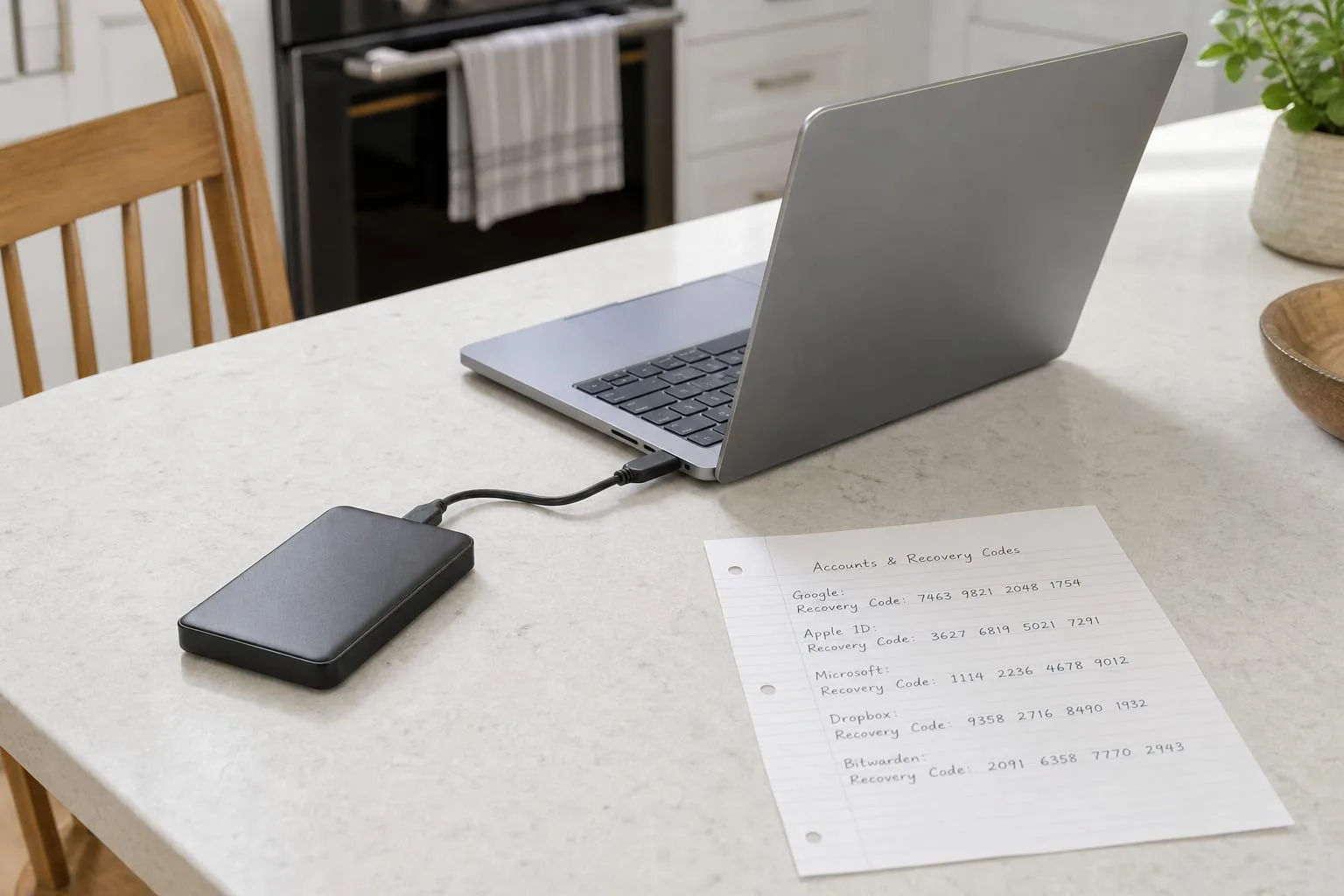
Ask someone whether they have backups and the answer usually arrives fast, because the question is heard as a question about intent. Something is switched on, a green check appeared at some point, a drive sits behind the router. What almost nobody has is evidence, meaning a specific occasion on which a file was pulled back from that system onto a working device and opened. The distance between those two states is where nearly every household data loss lives, and it is not a distance you cross by buying more storage or paying for a higher tier.
The reason the gap persists is not laziness. Backup software is designed to be quiet, and a system that reports nothing is indistinguishable from a system that is working. The National Institute of Standards and Technology, which is responsible for federal cybersecurity guidance and the frameworks most vendors cite, treats recovery as a distinct function from protection precisely because the two fail separately. A copy can exist and still be unreachable. That is the part worth spending an afternoon on.
What people actually have, as against what they think they have
In practice, three arrangements dominate. The first is file sync: Google Drive, iCloud, Dropbox, OneDrive, a folder that mirrors itself upward. The second is a device-level backup that runs to an external drive left permanently connected. The third is nothing formal, but photographs happen to live on a phone that uploads them. Each of these protects against a different failure, and only one of them, the external drive, survives an account lockout. Sync, in particular, is not a backup, because it faithfully propagates deletion, encryption, and corruption to every copy within minutes.
That distinction matters most in the two events people actually experience. Ransomware encrypts the working copy and the sync client dutifully replaces the good remote copy with the encrypted one. A hardware failure, by contrast, is the case sync handles well. So the honest question is not whether you have a backup but which of the two events you have covered, and most households have covered the easier one and assume it covers both. Version history closes part of that gap, and knowing how far back yours reaches is a five-minute check.
The party in the arrangement nobody examines
Every backup involves a counterparty, and in most homes it is a company you pay somewhere between five and fifteen dollars a month, whose terms you accepted years ago and whose retention rules you have never read. That company decides how long a deleted file remains recoverable, how many prior versions it keeps, what happens to the account if payment fails, and how a person who is not you proves they are entitled to the data. Those four provisions do more to determine your outcome than any choice you made on your own equipment.
The retention window is the one that surprises people. Deleted items typically sit in a recoverable state for a fixed number of days, after which they are genuinely gone, and that clock runs from the deletion rather than from the moment you notice. If a folder was quietly removed in March and you look for it in July, the provider is not withholding anything; the window closed. Find your provider's stated period, write it down, and treat it as the maximum time you can afford to go without checking that your files are still where you think they are.
Account access is the second provision, and it is where an otherwise sound plan collapses. If the backup is bound to a single email address protected by two-factor authentication tied to one phone, then losing the phone and losing the data are the same event. The fix is unglamorous: a second recovery method, printed recovery codes stored somewhere physical, and one other person who can get in. Providers publish account recovery procedures, and reading yours before you need it converts a multi-week support ordeal into a form submission.
How to run a restore test that proves something
A useful test has four properties. It uses a file you did not choose in advance for its convenience, it restores to a device other than the one that created the file, it ends with the file opening correctly in the application that made it, and it is timed. That last property is the one people skip, and it is the one that changes decisions, because a restore that technically succeeds after nine days of downloading is not a plan you can rely on during a week when you need your tax records or a client's contract.
Do it concretely. Pick a folder from two years ago, something with a mix of documents, photographs, and one file in a proprietary format such as a spreadsheet with formulas or a scanned PDF. Sign in to the provider from a borrowed laptop or a fresh browser profile, locate that folder, and pull it down. Note the clock time from the first click to the moment the spreadsheet recalculates correctly. Then repeat the same exercise against your external drive, ideally on a machine that has never seen that drive before.
Three failures show up almost every time someone does this for the first time. Encrypted archives whose passphrase exists only in a password manager that itself lives inside the backup, which is a loop with no entry point. A backup job that stopped running months ago after an operating system update revoked its disk permissions and never asked again. And a set of files present in name but zero bytes in size, usually cloud placeholders that were never actually downloaded before the source device was wiped. Each is trivial to fix once seen and invisible until tested.
Writing it down for whoever does this without you
The second overlooked party is human. Restores frequently happen at moments when the person who built the system is unavailable: traveling, hospitalized, or gone. What that person needs is not a copy of your reasoning but a single page in plain language listing where each set of files lives, which account holds it, how to reach that account, and who to call. Keep it on paper, in a place a spouse or executor would think to look, and update it whenever you change providers rather than whenever you remember.
Set the cadence to something you will actually keep. Twice a year is enough for most households if the check is real, and pairing it with an event you already do, filing your return in the spring and something in the fall, removes the need to remember. The check itself is short once the first one has been done: confirm the last successful run date on each system, restore one file to a different device, verify the recovery codes still work, and glance at whether the provider changed its retention terms.
What the test buys you
The payoff is not a feeling of security. It is a set of specific numbers you can act on: how many days of deletion you can absorb, how many hours a full restore takes, which files are covered against encryption rather than only against a dead drive, and which account is the single point through which all of it passes. Households that have those four numbers make different decisions, usually cheaper ones, because they stop paying for storage they do not need and start fixing the one dependency that was quietly holding everything together.
Run the first test on an ordinary Tuesday, when nothing has gone wrong and the stakes are only your afternoon. Whatever it turns up will be smaller then than it will ever be again.